How to Get a Professional Headshot Without a Photographer (2026)
Get studio-quality professional headshots without booking a photographer. AI headshot generators explained — how they work, what they cost, and real results.
How to Get a Professional Headshot Without a Photographer
You need a professional headshot. Maybe it's for LinkedIn, your company website, a conference badge, or a job application. Booking a photographer costs €200-500 and takes days. There's a faster, cheaper way.
Method 1: AI Headshot Generator (Recommended)
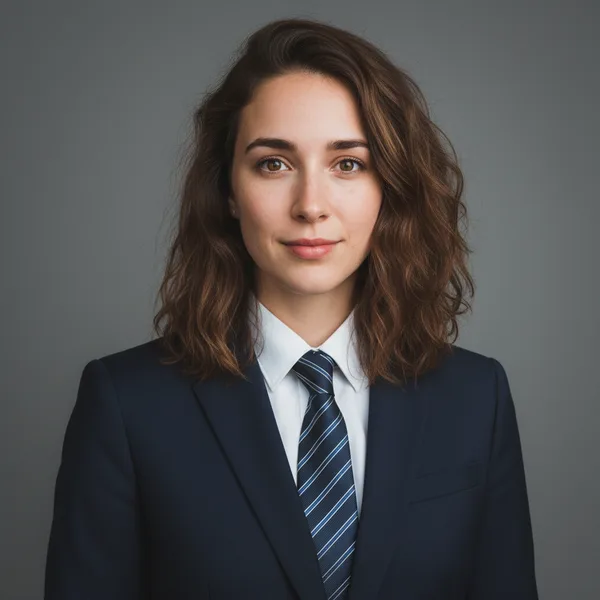
The best option in 2026. Upload a few selfies, and AI creates studio-quality headshots indistinguishable from real photography.
How it works:
- Upload 1-4 clear selfies to ToolPilot AI Headshots
- Choose your style — Corporate, Executive, Creative, etc.
- AI generates 40-120 professional headshots
- Download and use anywhere
Cost: €9-29 (one-time) Time: 5-15 minutes Quality: Studio-level
Method 2: DIY with Your Phone
If you want a decent headshot with zero budget:
- Natural light — Face a window during golden hour
- Clean background — Plain wall or solid backdrop
- Tripod/stand — Use a phone mount at eye level
- Timer mode — 10-second self-timer
- Burst mode — Take 50+ shots, pick the best
Then use ToolPilot's AI Enhancer to upscale and improve quality. See how tools compare in our best AI photo enhancer comparison.
Cost: Free Time: 30-60 minutes Quality: Decent, not studio-level
Method 3: AI-Enhanced Selfie
Halfway between DIY and full AI generation:
- Take a good selfie in professional clothing
- Use Background Remover to get a transparent cut
- Place yourself on a studio background
- Use AI Enhancer for professional touch-up
Why AI Headshots Work So Well
Modern AI headshot generators use diffusion models trained on millions of professional portraits. They understand:
- Professional lighting patterns
- Flattering angles
- Studio-quality backgrounds
- Appropriate clothing and grooming
- Natural skin tones and expressions
The result? Photos that professional photographers themselves struggle to distinguish from real studio shots.
What You Need for Best AI Results
- 1-4 clear photos of your face
- Good lighting — natural light works best
- Front-facing — clear view of your features
- No sunglasses or hats — AI needs to see your full face
- Neutral expression — slight smile works great
Should You Tell People It's AI?
This is a personal choice. In practice:
- Job applications — AI headshots are 100% acceptable
- LinkedIn — Perfectly fine, widely used
- Dating profiles — Some people disclosure, most don't
- Company websites — Many companies use AI for team photos
Get your professional headshot now → — 40 photos, 23 styles, from €9.
Related Articles
How to Get a Professional Headshot at Home (Phone + AI Guide)
No studio, no photographer, no problem. Take a selfie with your phone and let AI transform it into a professional headshot in 5 minutes. Complete DIY guide.
How Much Does a Professional Headshot Cost in 2026? Complete Price Guide
Professional headshot pricing explained: photographer rates, AI alternatives, and hidden costs. Compare options from €9 to €500+ to find the best value.
Best AI Headshot Generators in 2026: Top 7 Compared
Compare the best AI headshot generators of 2026. Pricing, quality, features, and speed — find the perfect tool for your professional photos.
Most Popular Tool
Need a Professional LinkedIn Photo?
Upload a selfie → get 40-120 studio-quality headshots in minutes. 8x cheaper than a photographer. From €9.


Also explore our 25+ free tools — PDF merge, background remover, image resize & more. No signup needed.
Browse All Tools